---
title: Agency Job Board
description: Each agency has a Job Board. This is where agencies post available jobs. You need to be approved and have an active profile status with the agency to view their Job Board.
---
[Skip to content](https://help.liveforce.co/en/crew/agency-job-board#main-content)
[](https://liveforce.co/)
Open main navigation
Close main navigation
- [Log In](https://app.liveforce.co/)
[Log In](https://app.liveforce.co/)
Crew App Knowledge Base
- There are no suggestions because the search field is empty.
1. [Crew App](https://help.liveforce.co/en/crew?hsLang=en)
2. [Guides](https://help.liveforce.co/en/crew/guides?hsLang=en)
3. [Job Board](https://help.liveforce.co/en/crew/guides?hsLang=en#job-board)
# Agency Job Board
## Each agency has a Job Board. This is where agencies post available jobs. You need to be approved and have an active profile status with the agency to view their Job Board.
#### **Viewing the Job Board**
Each agency has a Job Board. This is where agencies post available jobs. You need to be approved and have an active profile status with the agency to view their Job Board.
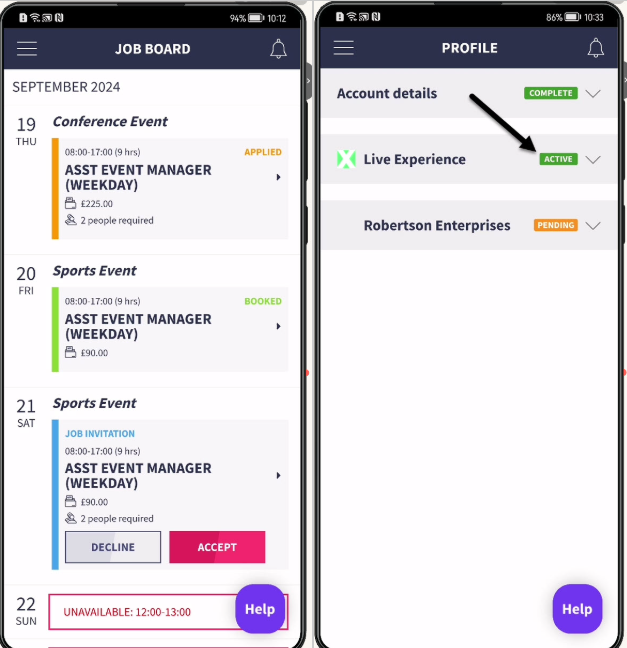
*Agency Job Boards*
Navigate to the Job Board to view available jobs.
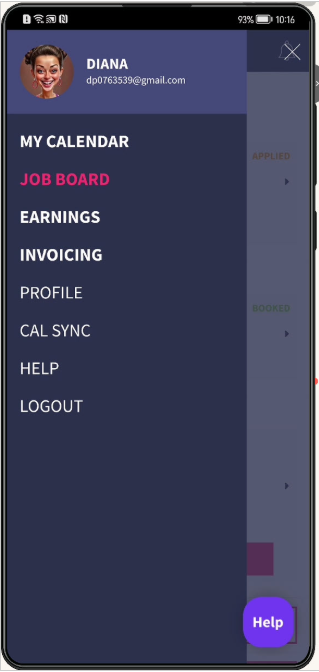
*App menu*
Switch between agency Job Boards here.
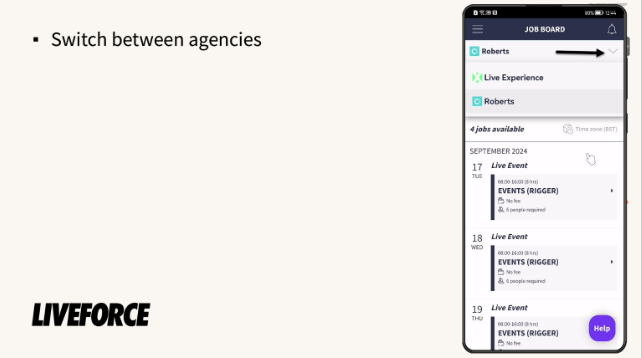
*Select agency*
Switch between list and map views here.
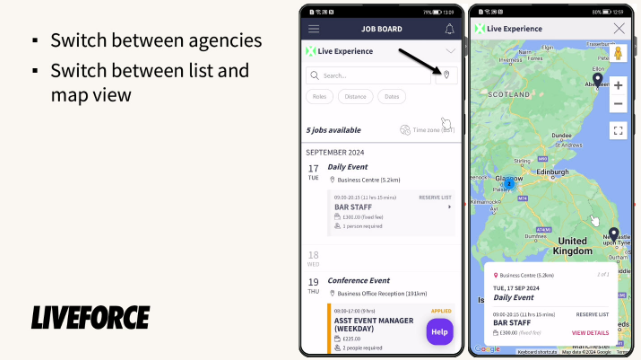
*List and map views*
When an agency has no available jobs there will be a notice displayed on their Job Board.
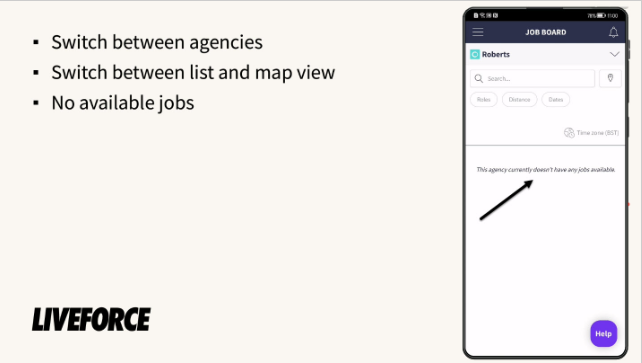
*No jobs available*
#### **Searching for jobs**
You can filter by role type, distance and dates.
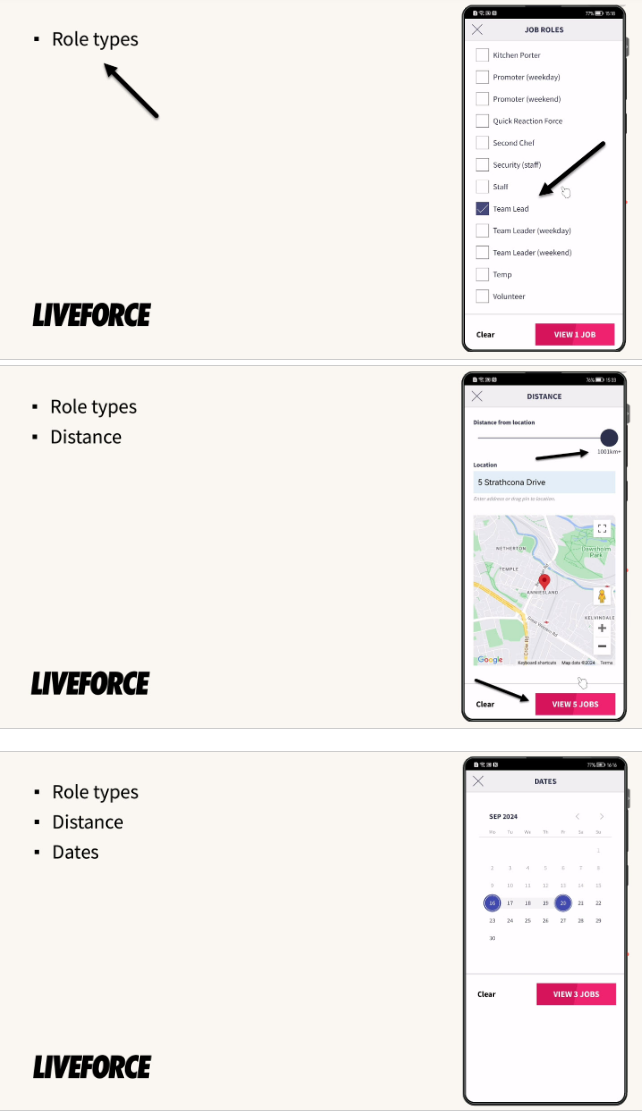
*Role types, distance and dates search*
Or search for a specific term in the search bar.
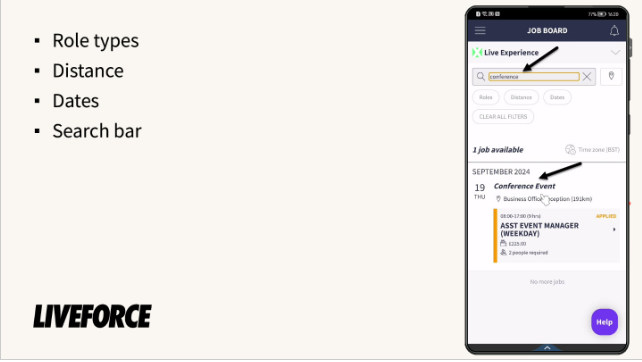
*Search bar*
When finished with a search filter or using the search bar, always clear all filters to view all jobs currently available on the Job Board.
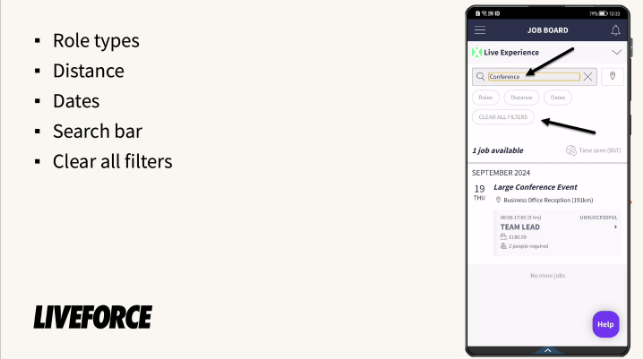
*Clearing all filters*
#### Viewing Job Info
From the Job Board you can view the basic information like role, dates, times, salary, location and distance from your address.
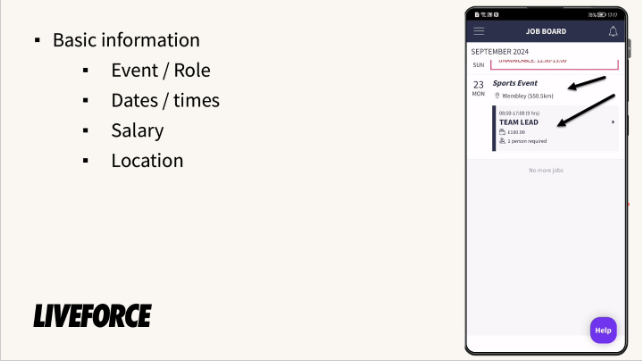
*Basic info*
To learn more about the job, click into it. You can see the Primary contact details and more information about the job.
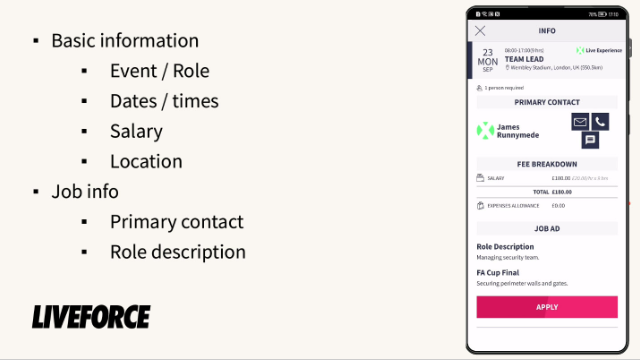
*Full job details*
#### **Applying for a Job**
If you see a job that you want to apply to then click the apply button.
The job will still appear on the Job Board but will be colour coded amber and have the text APPLIED in the same colour.
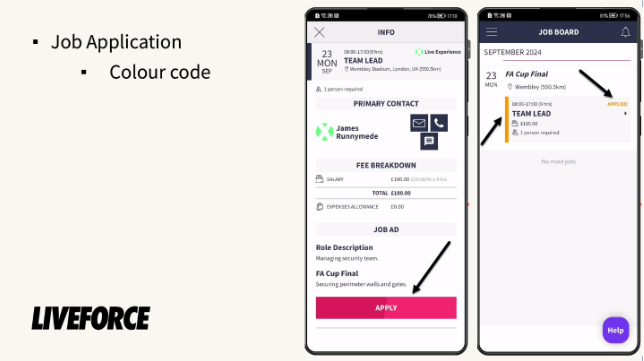
*Colour coded*
Jobs you’ve applied to will also appear in your My Calendar page.
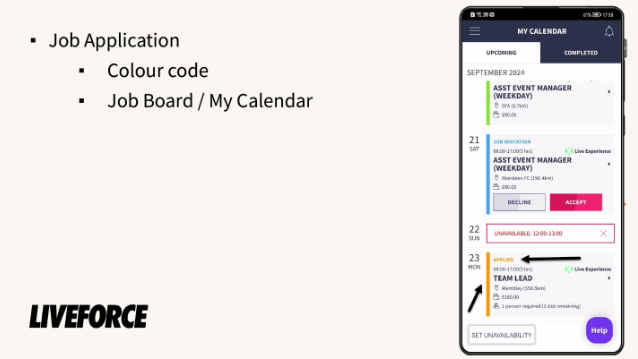
*My Calendar*
The agency will review your job application and either decline or accept it
If declined you will receive a notification in the app and an email, and the job will be removed from your My Calendar page and have an unsuccessful label and grey colour code in your Job Board.

*Unsuccessful notification email*
*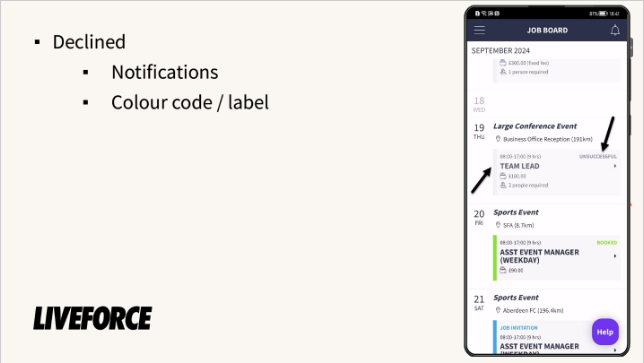*
*Unsuccessful notification Job Board*
If accepted for the job then you will receive a notification in the app and an approved email, and the job will remain on your Job Board and under upcoming jobs in your My Calendar page. The job will have a Booked label and green colour code.
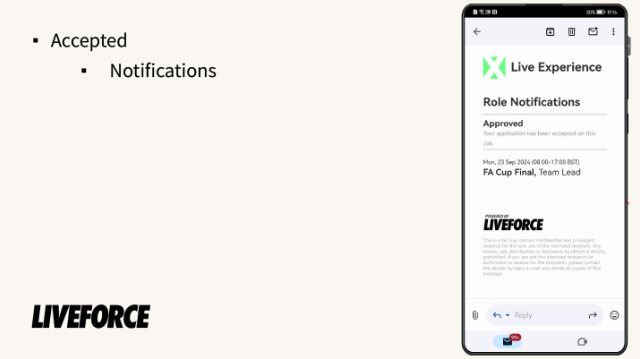
*Approved email notification*
*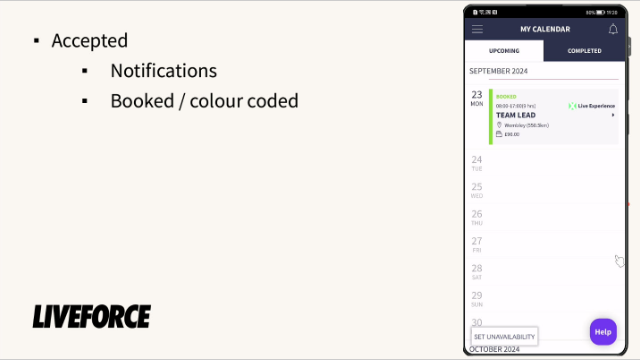*
*Booked*
If an agency posts a job on their job board and you are a good fit, the Liveforce Crew App will suggest you apply by creating a post in your My Calendar called JOB WE THINK YOU WILL LIKE.
Click on the job to view the job info in the Job Board and apply as normal.
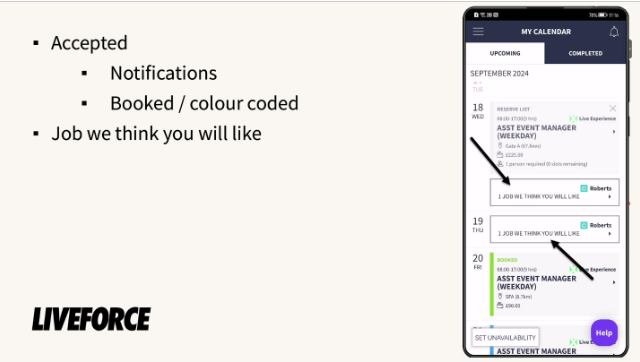
*Jobs that Liveforce app thinks you will like*
Any queries about jobs should be directed towards the agency that posted the job.
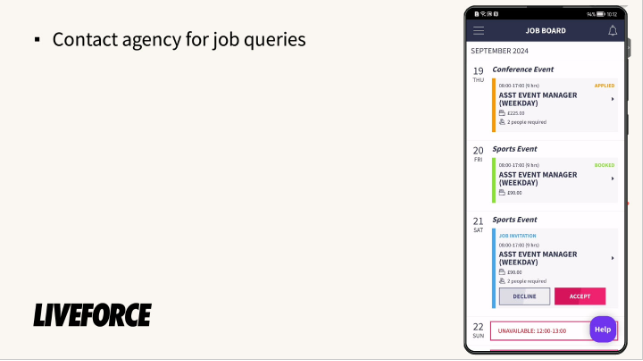
*Contact agency for job queries*
**Liveforce does not hire anyone; we only provide the software for agencies to manage their temporary staff.**
**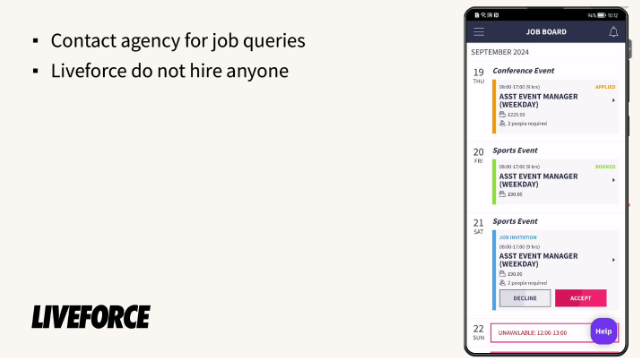**
*Liveforce - software only*
- [FAQs](https://help.liveforce.co/en/crew/faqs?hsLang=en)
- [Getting started](https://help.liveforce.co/en/crew/getting-started?hsLang=en#main-content)
- [Step by Step Guide](https://help.liveforce.co/en/crew/getting-started?hsLang=en#step-by-step-guide)
- [Guides](https://help.liveforce.co/en/crew/guides?hsLang=en#main-content)
- [Notifications](https://help.liveforce.co/en/crew/guides?hsLang=en#notifications)
- [Earnings](https://help.liveforce.co/en/crew/guides?hsLang=en#earnings)
- [Timesheets and Expenses](https://help.liveforce.co/en/crew/guides?hsLang=en#timesheets-and-expenses)
- [Invoicing](https://help.liveforce.co/en/crew/guides?hsLang=en#invoicing)
- [Profile](https://help.liveforce.co/en/crew/guides?hsLang=en#profile)
- [Job Board](https://help.liveforce.co/en/crew/guides?hsLang=en#job-board)
- [My Calendar](https://help.liveforce.co/en/crew/guides?hsLang=en#my-calendar)
- [Account Security and Data Management](https://help.liveforce.co/en/crew/guides?hsLang=en#account-security-and-data-management)
- [Integrations](https://help.liveforce.co/en/crew/integrations?hsLang=en#main-content)
- [Cal Sync](https://help.liveforce.co/en/crew/integrations?hsLang=en#cal-sync)
- [Troubleshooting](https://help.liveforce.co/en/crew/troubleshooting?hsLang=en)
[](https://liveforce.co)
Crew App | Knowledge Base