
Go to the relevant Job and click on the Role.
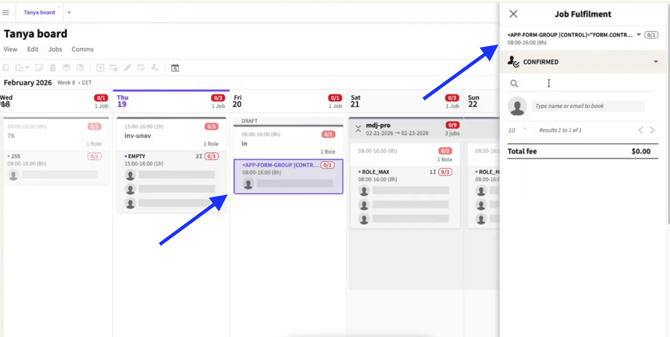
Role selected
On the Job Fulfilment page, search for the Crew member by email address and click on their name.
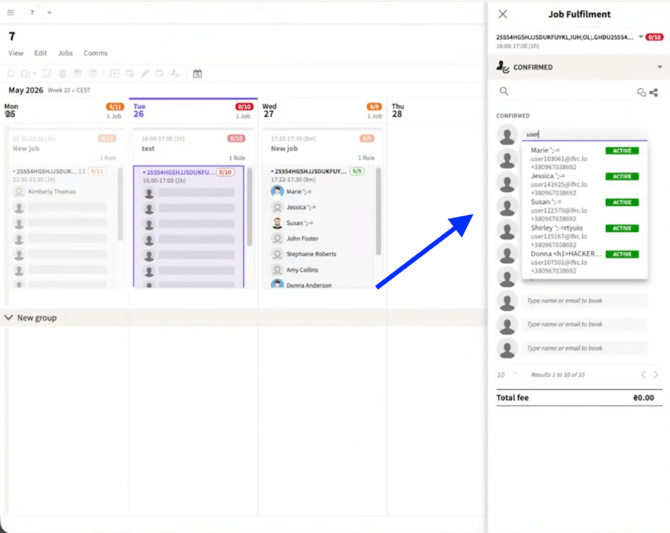
Search for Crew
Tick the PROVISIONALLY CONFIRMED checkbox in the confirmation area and click CONFIRM
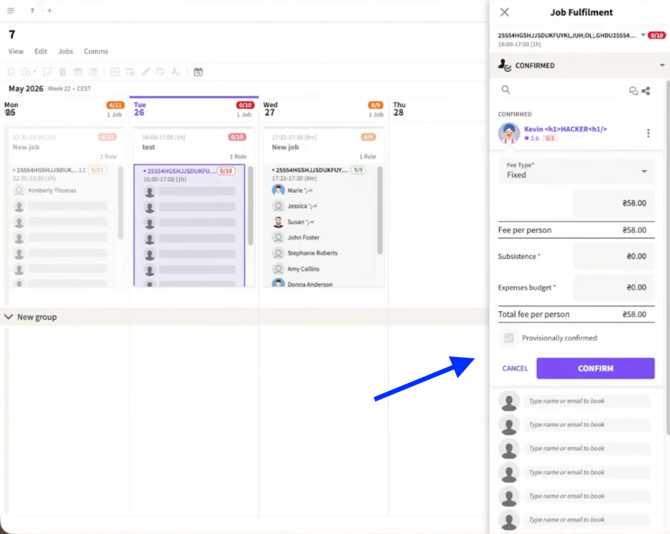
PROVISIONALLY CONFIRMED checked
The Confirmed tab is now divided into two lists: Confirmed and Provisionally Confirmed.
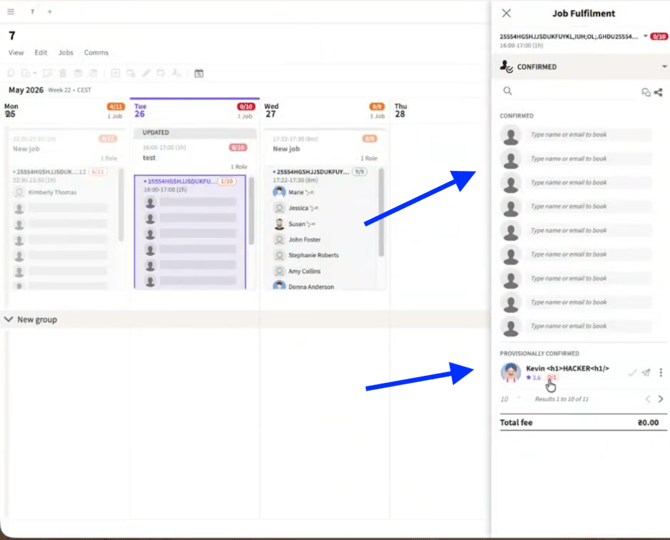
Confirmed and Provisionally Confirmed lists
Publish the Job.
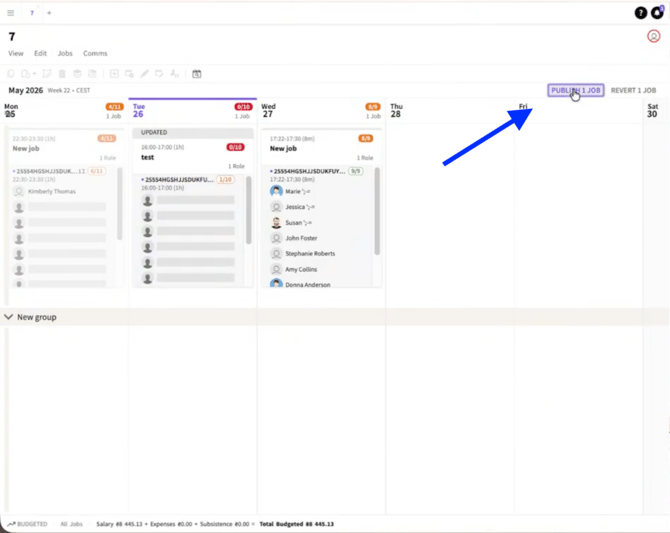
Click Publish job
Click the check button next to the Crew member's name under Provisionally Confirmed to confirm Crew.
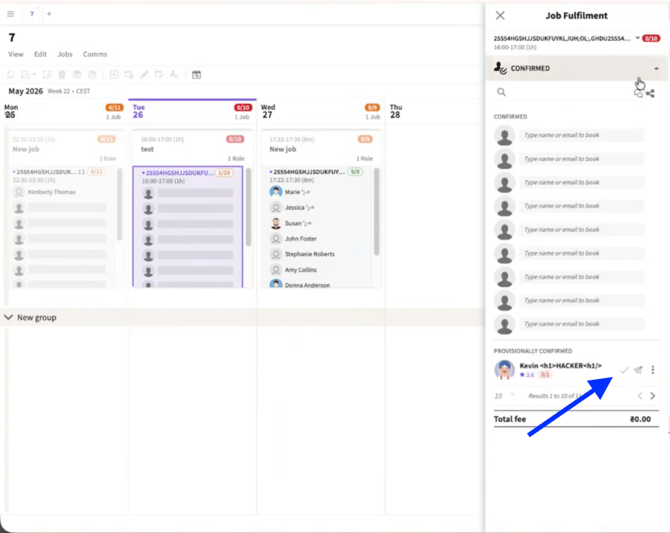
Confirm Crew
The Crew member is now Confirmed
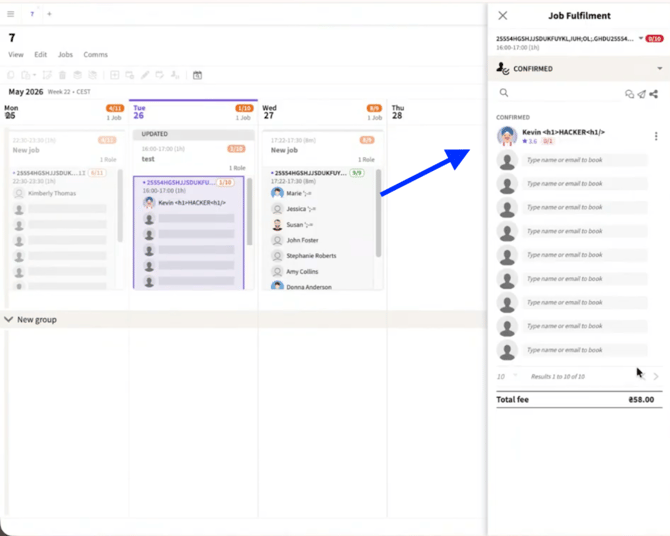
Crew member confirmed