---
title: Holiday Pay
description: Holiday pay is additional pay Crew receive typically when they are considered as employees, rather than self employed in the UK.
---
[Skip to content](https://help.liveforce.co/en/admin/holiday-pay#main-content)
[](https://liveforce.co/)
Open main navigation
Close main navigation
- [Log In](https://admin.liveforce.co/)
[Log In](https://admin.liveforce.co/)
Admin Knowledge Base
- There are no suggestions because the search field is empty.
1. [Admin App](https://help.liveforce.co/en/admin?hsLang=en)
2. [Profiles](https://help.liveforce.co/en/admin/profiles?hsLang=en)
3. [Settings](https://help.liveforce.co/en/admin/profiles?hsLang=en#settings)
February 25, 2025
# Holiday Pay
## Holiday pay is additional pay Crew receive typically when they are considered as employees, rather than self employed in the UK.
Holiday pay is additional pay Crew receive typically when they are considered as employees, rather than self employed. The holiday pay feature is only available for companies within the UK.
Navigate to the Employed Crew Profile settings and the Holiday Pay section.
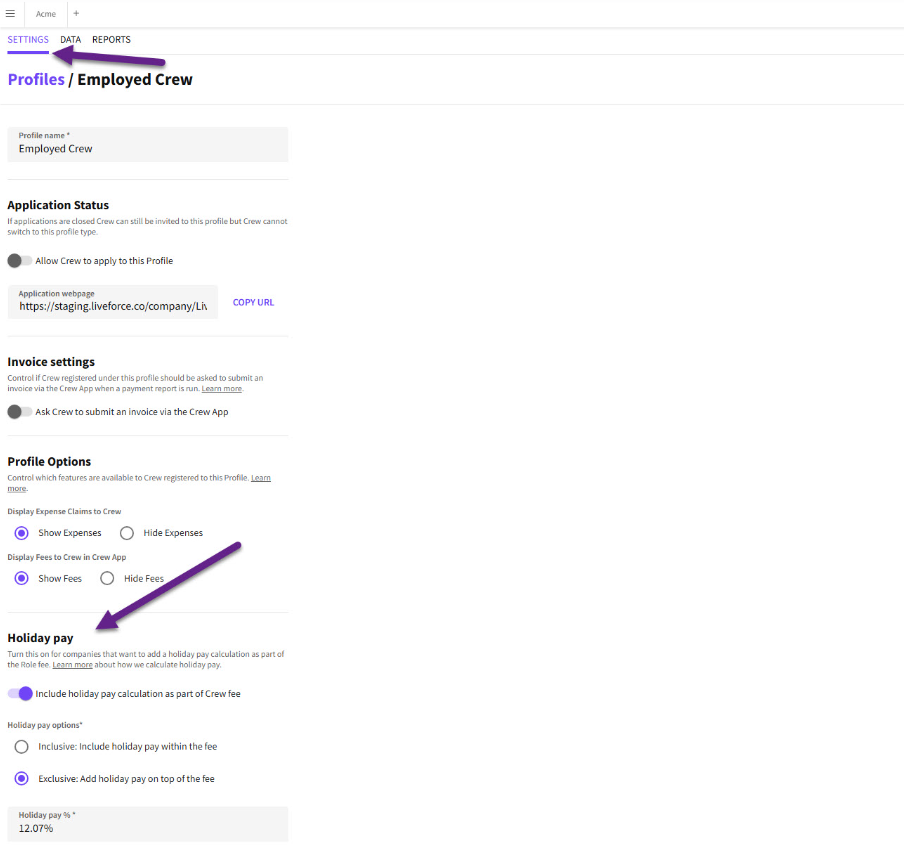*Holiday Pay option*
By default, Holiday Pay will be turned on and the Exclusive option selected, with Holiday Pay being calculated at 12.07% of the fee. All these settings can be customised.
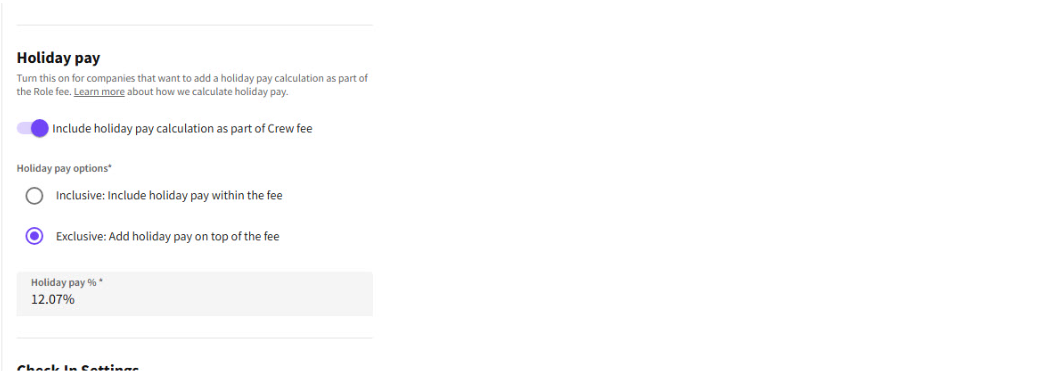*Holiday Pay default*
Admin have the choice to turn Holiday Pay to off. Holiday Pay will not be calculated for that Profile.
*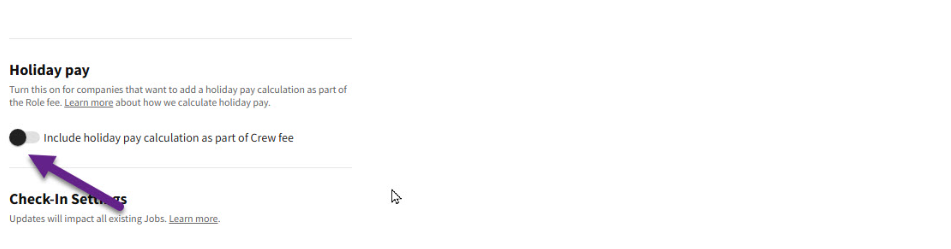Holiday Pay toggled off*
When Holiday Pay is turned on and the Inclusive option is selected, this means that Holiday Pay will be calculated and included within the fee, as seen here.
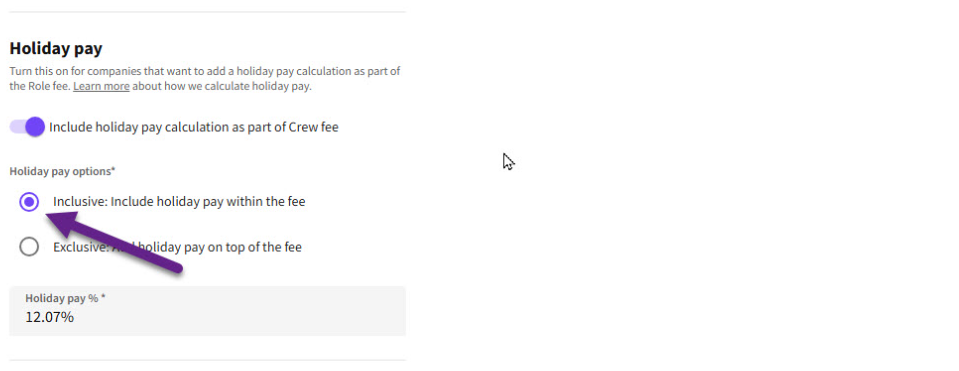*Inclusive selected*
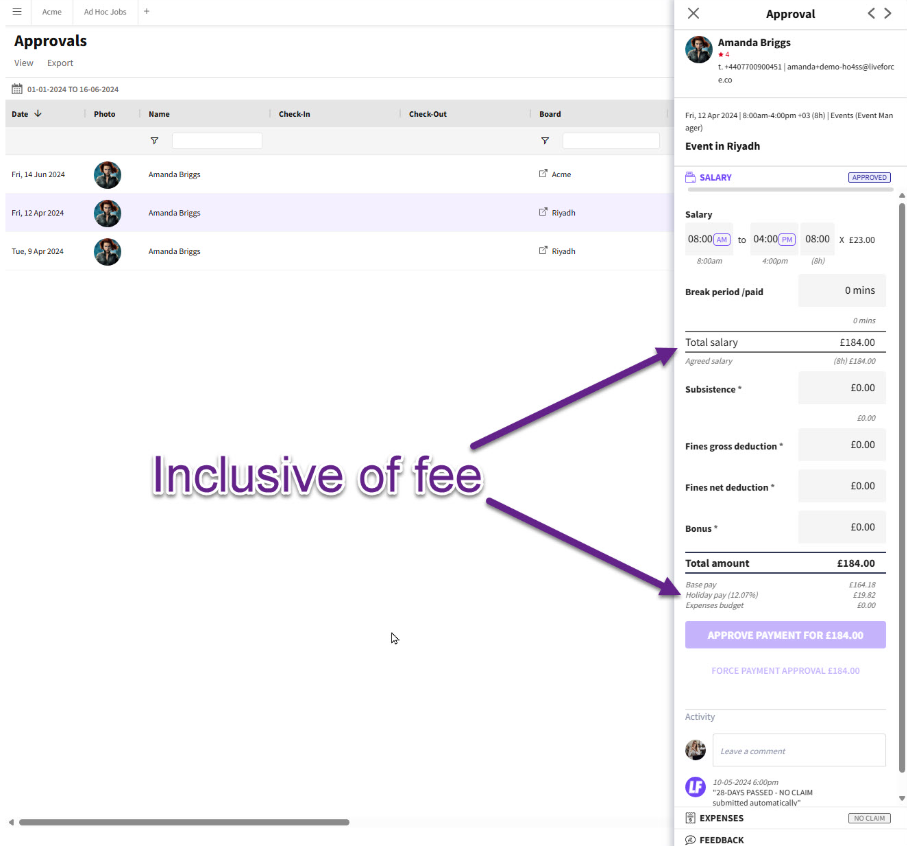*Holiday Pay included*
It’s important to note that only new Roles created after making a change will have new Holiday Pay settings, these are applied when the Role is published. All existing published Roles will preserve the previous Holiday Pay settings. A warning will appear whenever Admin changes the settings.
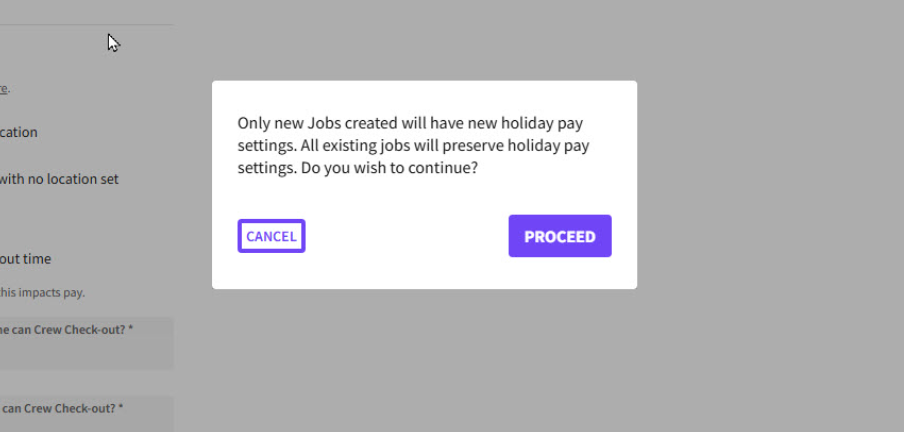*Warning message*
In this scenario, we are going to leave Holiday Pay on the default setting.
This means that Holiday Pay is turned on, Exclusive is selected and 12.07% of the fee will be added on top of the fee.
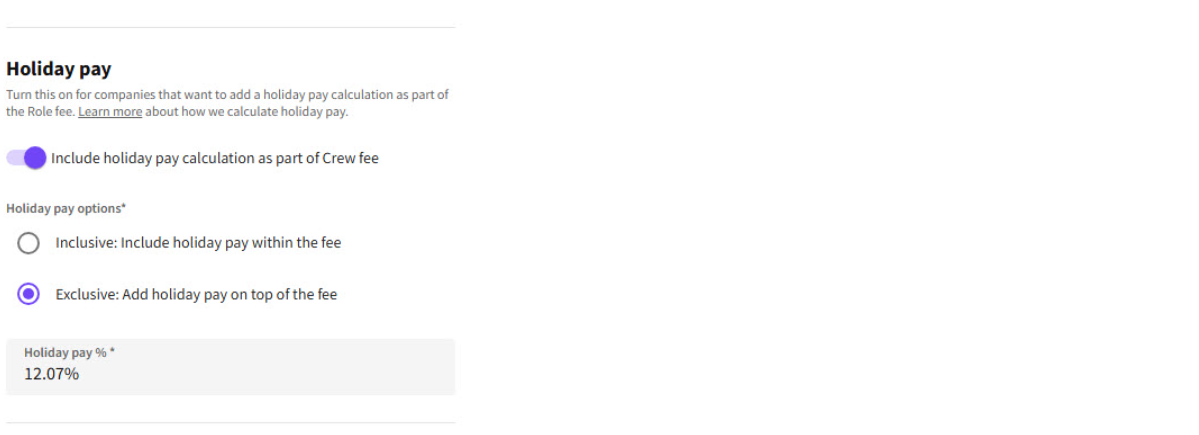
*Exclusive selected*
Admin creates this Role with a fee of £160.
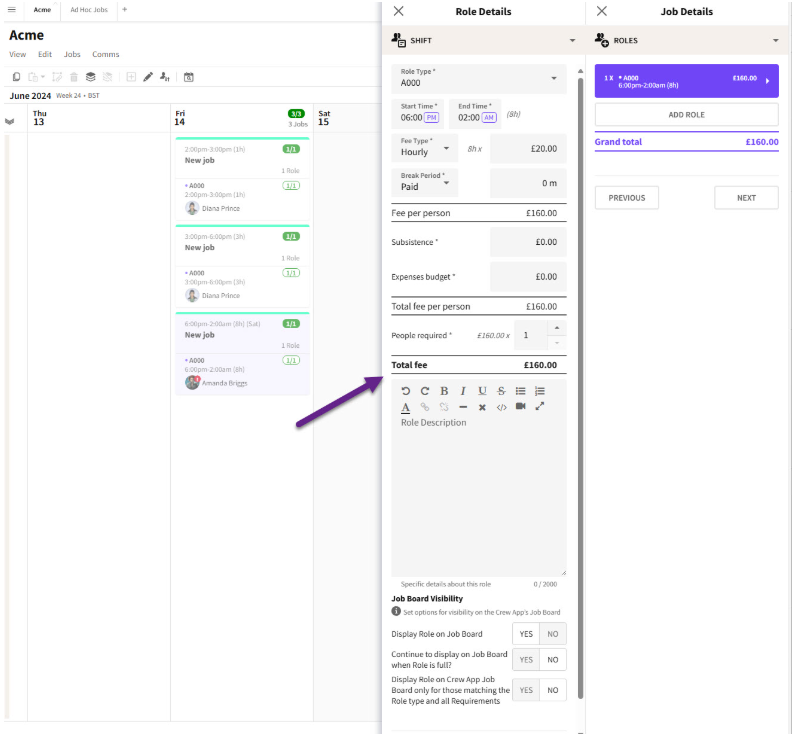*Role fee*
When Admin checks the Timesheet on the Approvals page, Holiday Pay Exclusive of the fee is calculated and added to the fee. As you can see with this Role.
The fee for this Role was £160 but with Holiday Pay added on top of the fee, the Crew will be paid £179.31.
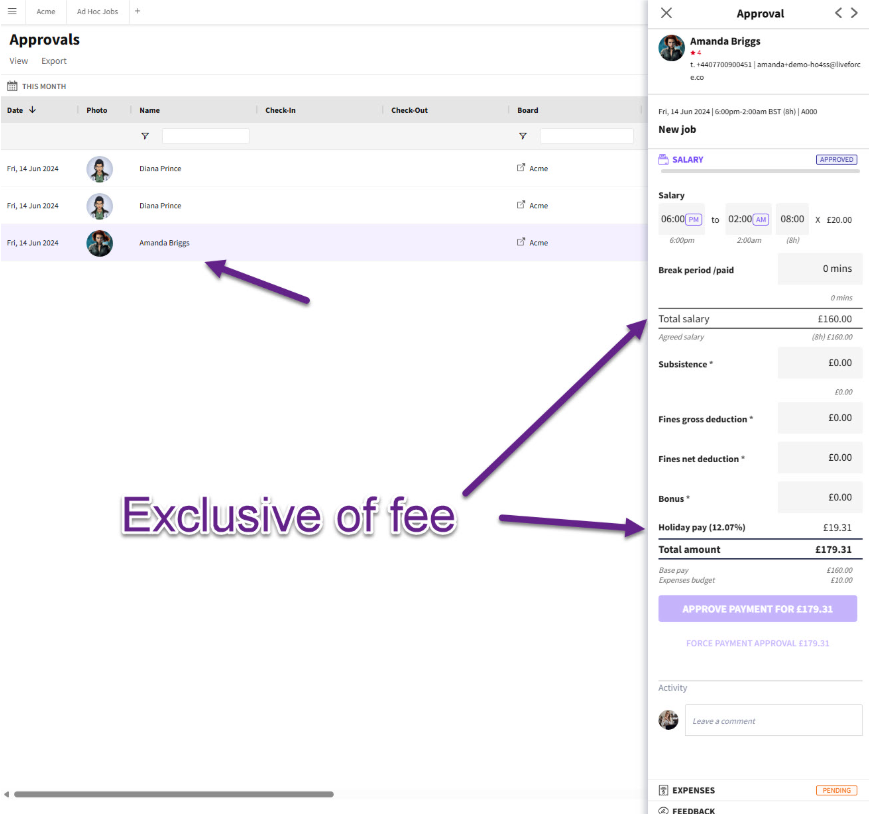*Holiday Pay excluded*
This Holiday pay is added to the fee on the Payments page.
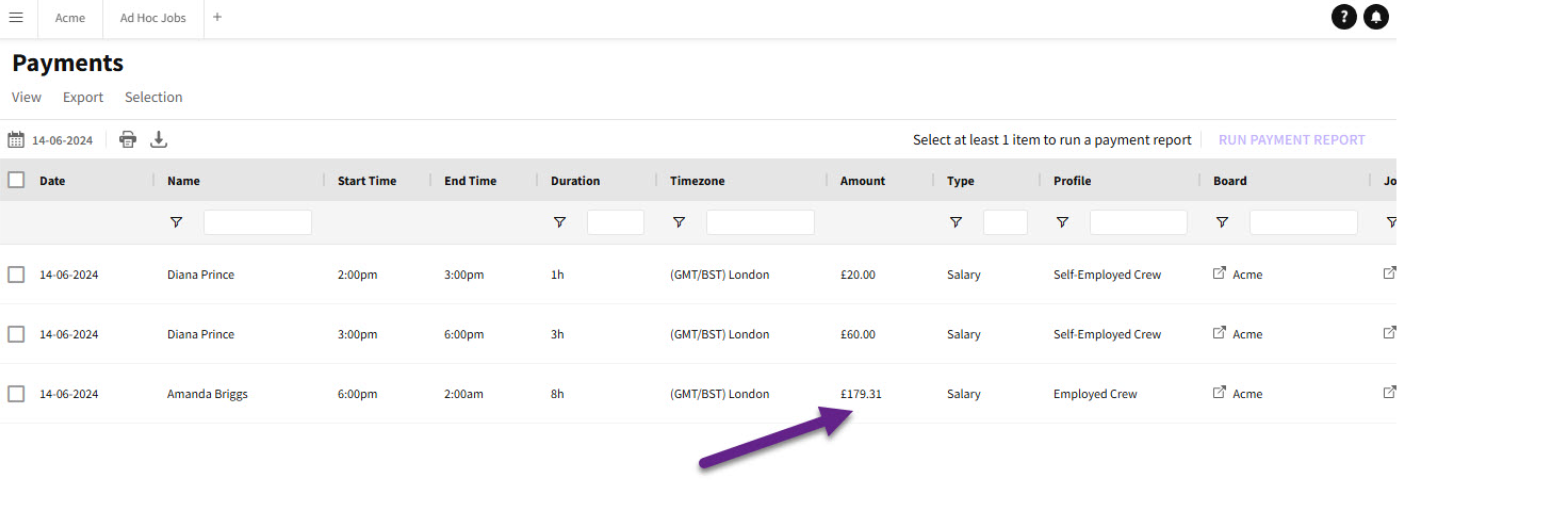*Payments page*
Holiday Pay can also be displayed in Payment Reports for export to company payment software.
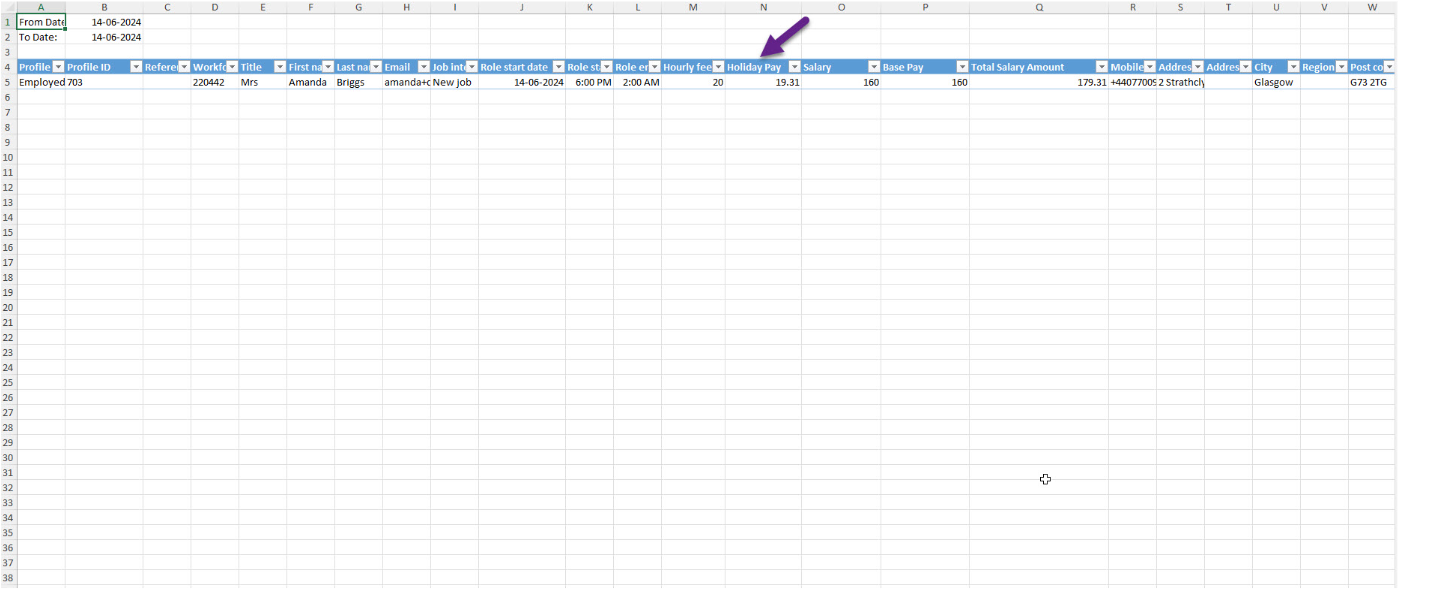*Payment report*
With Crew, if Holiday Pay is turned on, Crew will see any Holiday Pay calculations in the Job Details Fee Breakdown and Timesheets in their apps.
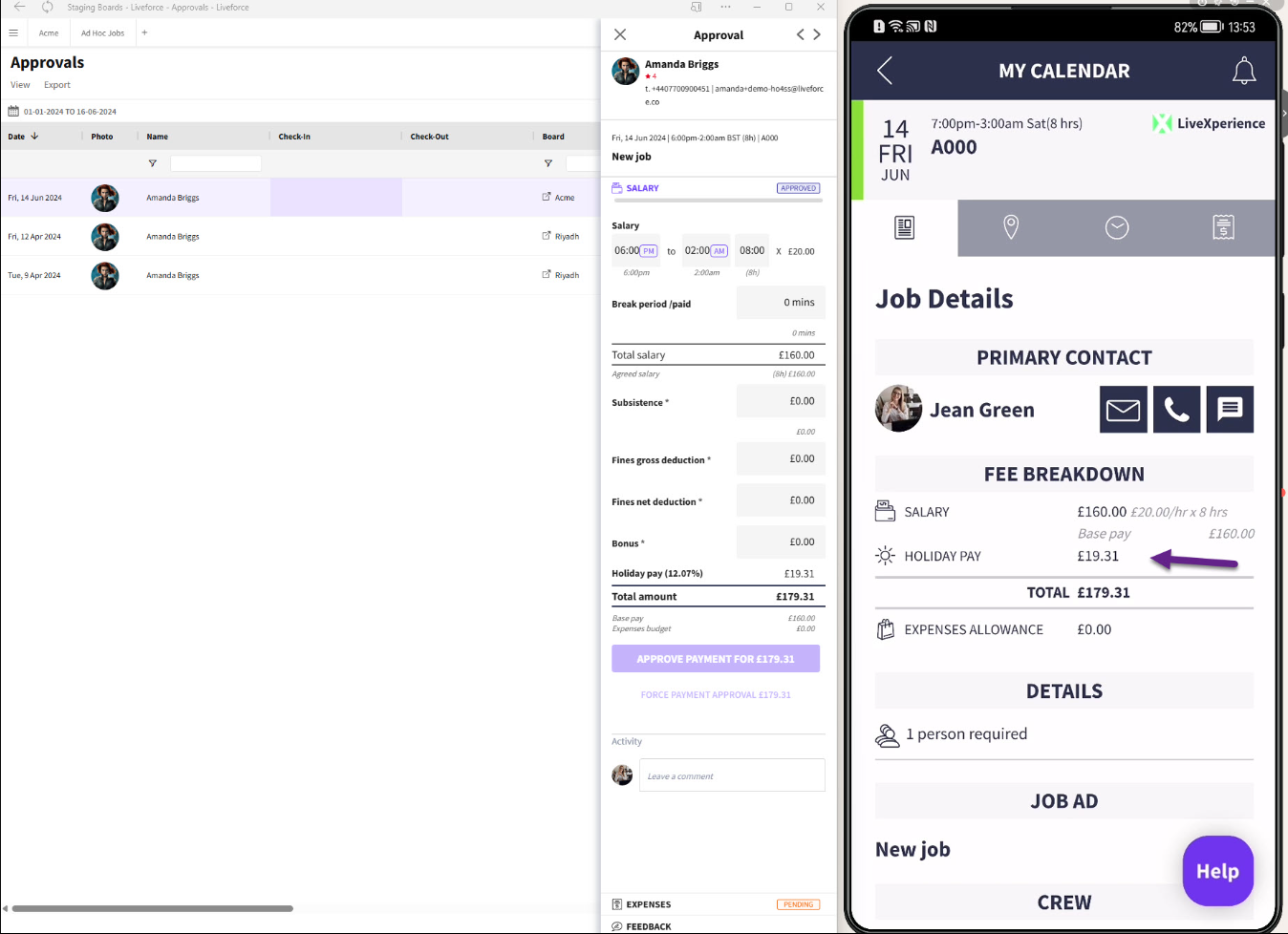*Holiday Pay calculations*
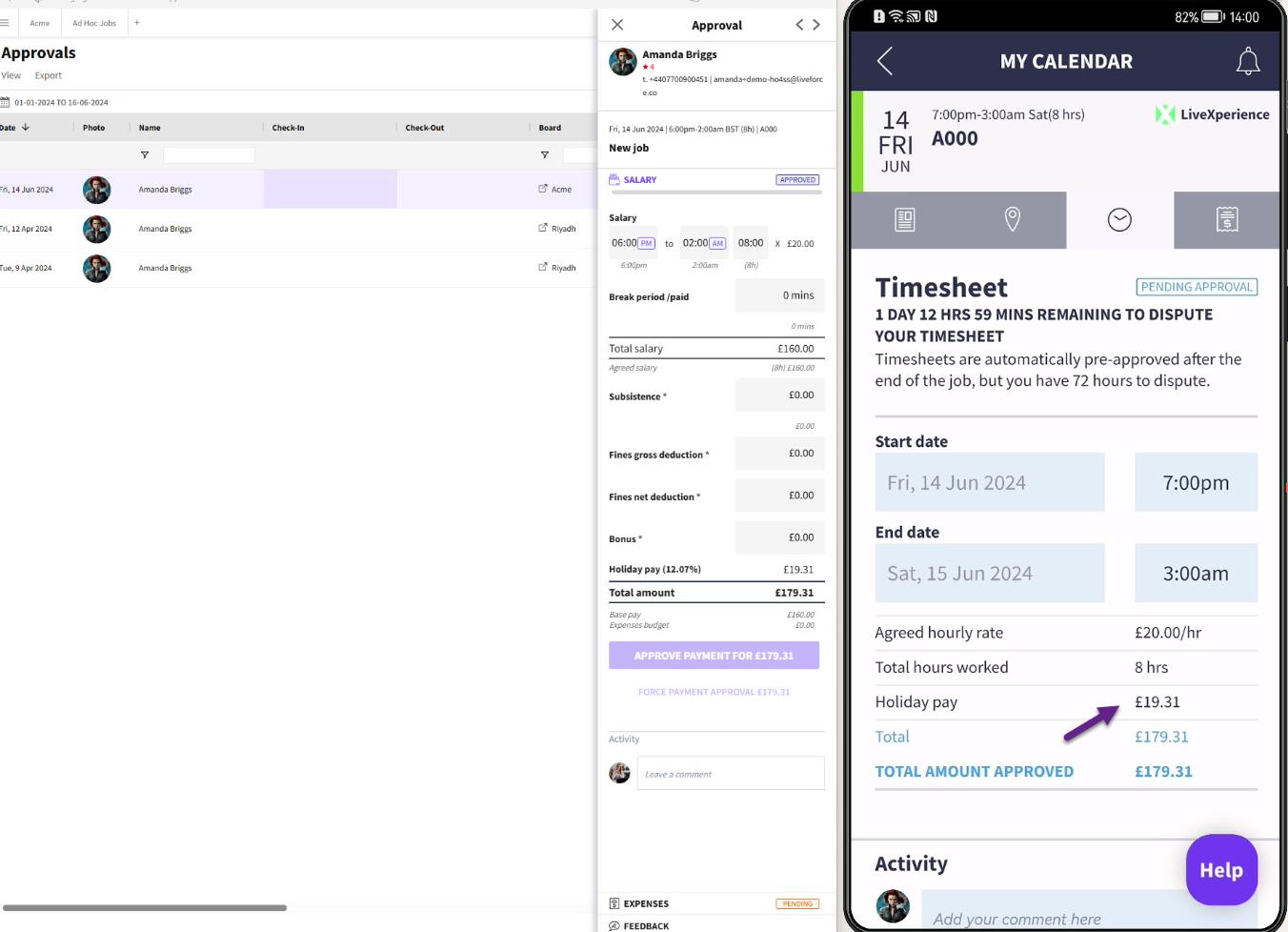*Fee breakdown in Timesheets on Crew app*
- [Training Academy](https://help.liveforce.co/en/admin/training-academy?hsLang=en)
- [The Basics](https://help.liveforce.co/en/admin/the-basics?hsLang=en)
- [Boards](https://help.liveforce.co/en/admin/boards?hsLang=en#main-content)
- [Timezones](https://help.liveforce.co/en/admin/boards?hsLang=en#timezones)
- [Job Scheduling](https://help.liveforce.co/en/admin/job-scheduling?hsLang=en#main-content)
- [Multiple Day Jobs](https://help.liveforce.co/en/admin/job-scheduling?hsLang=en#multiple-day-jobs)
- [Basics](https://help.liveforce.co/en/admin/job-scheduling?hsLang=en#basics)
- [Managing](https://help.liveforce.co/en/admin/job-scheduling?hsLang=en#managing)
- [Job Fulfilment](https://help.liveforce.co/en/admin/job-fulfilment?hsLang=en#main-content)
- [Methods](https://help.liveforce.co/en/admin/job-fulfilment?hsLang=en#methods)
- [Multi Day Jobs (1)](https://help.liveforce.co/en/admin/job-fulfilment?hsLang=en#multi-day-jobs-1)
- [Portfolio Sharing](https://help.liveforce.co/en/admin/job-fulfilment?hsLang=en#portfolio-sharing)
- [Basics](https://help.liveforce.co/en/admin/job-fulfilment?hsLang=en#basics)
- [Workforce Management](https://help.liveforce.co/en/admin/workforce-management?hsLang=en#main-content)
- [Managing](https://help.liveforce.co/en/admin/workforce-management?hsLang=en#managing)
- [Profiles](https://help.liveforce.co/en/admin/workforce-management?hsLang=en#profiles)
- [Data Validation](https://help.liveforce.co/en/admin/workforce-management?hsLang=en#data-validation)
- [Tags](https://help.liveforce.co/en/admin/workforce-management?hsLang=en#tags)
- [Status Page](https://help.liveforce.co/en/admin/status-page?hsLang=en)
- [Communications](https://help.liveforce.co/en/admin/communications?hsLang=en)
- [Tables](https://help.liveforce.co/en/admin/tables?hsLang=en)
- [Platform Set Up](https://help.liveforce.co/en/admin/platform-set-up?hsLang=en#main-content)
- [General](https://help.liveforce.co/en/admin/platform-set-up?hsLang=en#general)
- [Workforce Configuration](https://help.liveforce.co/en/admin/platform-set-up?hsLang=en#workforce-configuration)
- [Profiles](https://help.liveforce.co/en/admin/profiles?hsLang=en#main-content)
- [Settings](https://help.liveforce.co/en/admin/profiles?hsLang=en#settings)
- [Reports](https://help.liveforce.co/en/admin/profiles?hsLang=en#reports)
- [Data](https://help.liveforce.co/en/admin/profiles?hsLang=en#data)
- [Timesheets and Payments](https://help.liveforce.co/en/admin/timesheets-and-payments?hsLang=en)
- [Invoicing](https://help.liveforce.co/en/admin/invoicing?hsLang=en#main-content)
- [Payment Reports](https://help.liveforce.co/en/admin/invoicing?hsLang=en#payment-reports)
- [Getting Started](https://help.liveforce.co/en/admin/invoicing?hsLang=en#getting-started)
- [Approval Process](https://help.liveforce.co/en/admin/invoicing?hsLang=en#approval-process)
- [Invoicing Section](https://help.liveforce.co/en/admin/invoicing?hsLang=en#invoicing-section)
- [Invoicing Submission Types](https://help.liveforce.co/en/admin/invoicing?hsLang=en#invoicing-submission-types)
- [Contact Support](https://help.liveforce.co/en/admin/contact-support?hsLang=en)
- [FAQs](https://help.liveforce.co/en/admin/faqs?hsLang=en)
[](https://liveforce.co/)
Admin App | Knowledge Base